- Releases
- Alerts
What to watch in the week after an extension release
A release is not done when you click publish. Here is a day-by-day checklist of the store signals that show whether a new version landed well or needs a fix.
- Author
- Extenify Team
- Published
- Reading time
- 5 min read

On this page
Publishing a new version feels like the finish line, but for an extension it is closer to the starting gun. The package still has to clear review on each store, reach users through automatic updates, and survive contact with real browsers and real workflows. Most release problems show up in public store data within days, long before a support inbox fills up.
This post covers what to watch in the first week after a release, in the order the signals usually appear.
Day 0: confirm the version is actually live
The first question is the simplest one, and it is often answered wrong: which version are users getting on each store?
Review queues run independently. A build can be approved on Chrome the same day and sit pending on Edge or Firefox for longer. Until every store serves the new version, your users are split across builds, and any bug report needs a "which browser?" follow-up.
What to check:
- The current version number on every store listing.
- The published date of that version.
- Whether any store is still serving the previous build.
In Extenify, the Versions tab shows the release timeline per store and flags drift, so a store that is left behind on an older build is marked instead of silently lagging. A New version published line also appears in the daily digest when a store picks up the release.
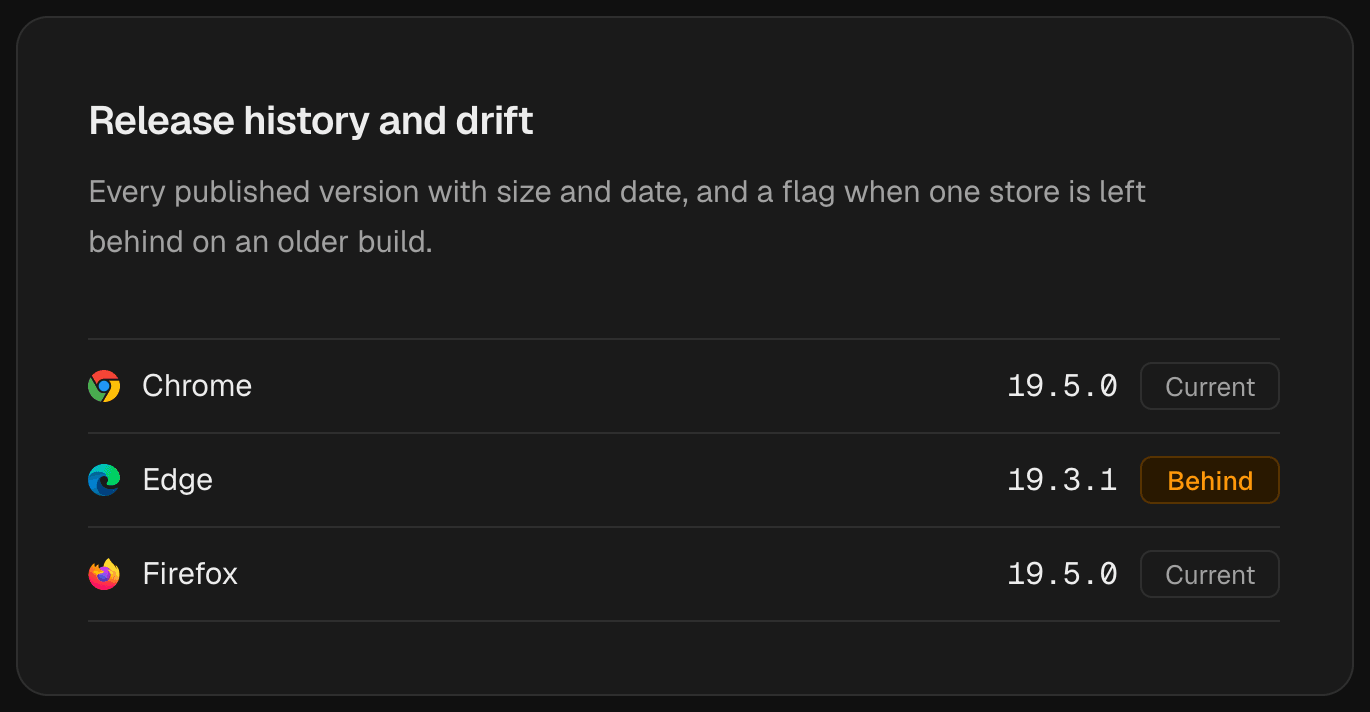
Version drift at a glance: Edge is still serving the previous build while Chrome and Firefox are current.
Day 1 to 2: read the listing changes that came with it
A new package can change more than code. Before users react, check what the release changed about the listing itself:
- Permissions. An update that requests more permissions is the most sensitive change an extension can ship. Browsers can ask existing users to approve new permissions before the update applies, and some users simply never do.
- Manifest version. A manifest version change is a large migration and deserves extra attention on every store.
- Package size. A sudden jump in size often points at an accidentally bundled asset or dependency.
Extenify reports these as their own changes: Requests more permissions, Manifest version changed and Package size grew or shrank. Seeing them in the digest the day after a release is a useful sanity check that the build you shipped is the build you intended.
Day 2 to 4: watch reviews and ratings
User feedback arrives next. The early signal is rarely the average rating, which moves slowly on an established extension. It is the new reviews.
New low-star reviews
A cluster of one-star or two-star reviews in the days after a release is the clearest sign something broke. Read them for patterns: the same feature mentioned repeatedly, the same browser, the same error. Reviews that appear on only one store often point at a store-specific build or a browser API difference.
Unusual bursts of reviews
A sudden spike in review volume is an event on its own, whether the reviews are good or bad. Extenify reports an Unusual burst of new reviews when several arrive between two daily captures, alongside the regular New review lines.
The rating itself
Only after that should you look at the average. A Rating dropped alert on an established listing, a week after a release, is a lagging but serious signal: enough users were unhappy to move a number that normally barely moves.
A rating drop is the last signal to arrive and the slowest to recover. The reviews that caused it usually showed up days earlier.
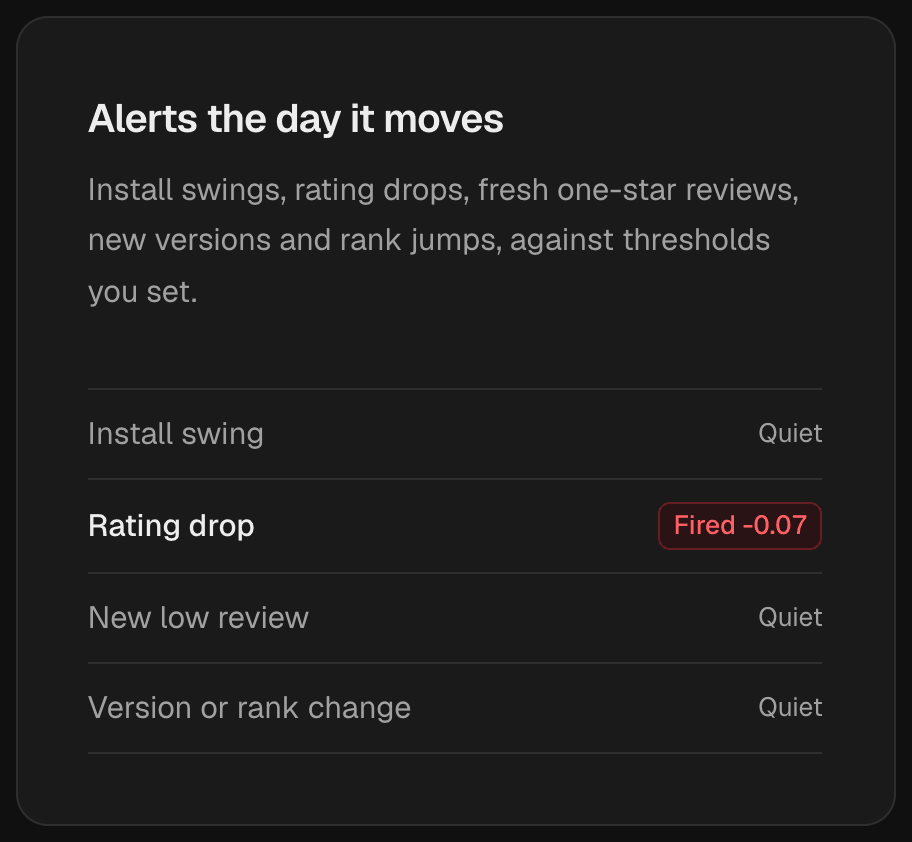
A rating drop fires as its own alert, while the other rules stay quiet.
Day 3 to 7: installs and rank
Install and user counts respond last, because they are the sum of many small decisions: people uninstalling, people not finding you, people finding you through a better placement.
| Signal | Typical timing | Likely cause if it moves the wrong way |
|---|---|---|
| Installs falling | Several days after release | Uninstalls after a broken or unwanted change |
| Category rank dropped | Several days after release | Weaker ratings or engagement lowering placement |
| Dropped out of a category ranking | Varies | A larger visibility loss worth investigating |
| Lost featured placement | Varies | Store editorial decision, sometimes tied to quality |
On the growth view, versions are drawn as markers on the same timeline as users, rating and rank. That makes the key question easy to answer: did the line bend at the release marker, or was it already moving before?
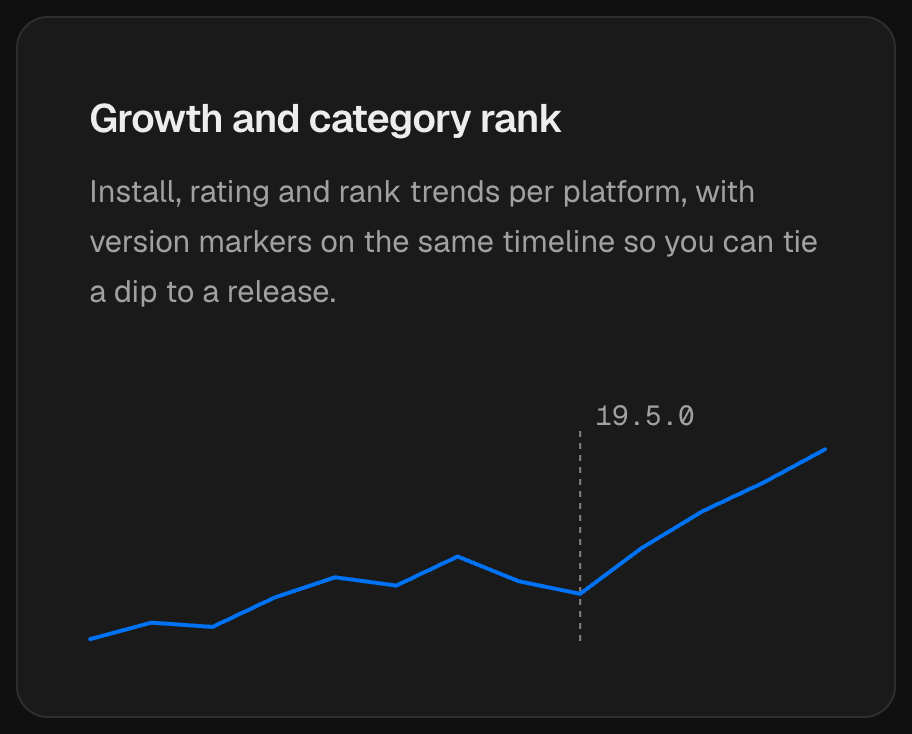
A version marker on the growth chart shows whether the line bent at the release or was already moving.
The most urgent change of all
One change outranks everything above: a listing whose downloads have been blocked. If a store stops offering your extension for install, every other number becomes secondary. Extenify puts Listing downloads blocked at the top of the digest for exactly that reason. If you see it, go straight to the store's developer dashboard for the reason.
A one-page release checklist
Keep this list next to your release notes:
- Publish to every store you support and note the submission time for each.
- Confirm the new version number is live on each listing, and chase any store that is behind.
- Check the digest for permission, manifest and package size changes you did not expect.
- Read every new low-star review for the first four days.
- Compare the rating and rating count against the week before the release.
- Look at the growth chart for installs and rank bending at the release marker.
- Write down what happened, so the next release checklist gets better.
Let the checks come to you
None of these checks are hard, but they are easy to forget when the next task is already waiting. With daily change alerts in place, each of these signals arrives as one line in a digest: the old value, the new value and the rule that fired. You read the week after a release instead of reconstructing it.
Image credits
- Cover photo: Person Coding on a Macbook Pro by olia danilevich on Pexels, Pexels License.